Mole

Mole
鼴
Where did all the space go?
MACINTOSH HD
System caches9.4 GB
Logs & crash reports2.1 GB
Old Codex sessions4.6 GB
Xcode DerivedData21 GB
npm cache7.7 GB
Local snapshots18 GB
Old Cursor versions3.1 GB
Docker data12 GB
Browser caches8.6 GB
Old macOS installers13 GB
+ New project.mov · No space
StorageAlmost full



Quiet paws, a path through dust
Five worlds, each left a little cleaner
Clean
AI
Software
Optimize
Analyze
Status
01 / 06 · EARTH
Clean
Rain clears the dust; the tide reveals anew
Scan results
System data first · Review before deleting
✓
System data · Local snapshots18.6 GB✓
System caches9.4 GB✓
Logs & crash reports2.1 GB✓
App caches6.8 GB✓
Browser caches3.2 GB⛨ ProtectAdded to protected list🔒iPhone backups41.0 GBManage manually
Deletion may be permanent. Mole shows size and location; you decide.
0 items selected
Clean
⌂ Scanning and cleaning stay on your Mac

Official interface · Clean
02 / 06 · MOON
AI data
AI gets to work. Old data piles up.
✳
Claude Code✳
Codex✳
CursorCaches & old versions · Preselected
Sessions & worktrees · You confirm
✓
Claude Code cache1.8 GB✓
Old Cursor versions ×23.1 GB✓
Old Codex session · Unopened for 46 days2.4 GB✓
worktree · fix-login (merged)860 MB✓
Current workspace · feature/onboardingKeep · Still in use1.2 GB>_
Unused CLI tool · gemini-cliNot opened in 3 months
+ Sessions+ SettingsUninstallConfirm deletion
Local models stay with their own tools. Mole leaves them alone.
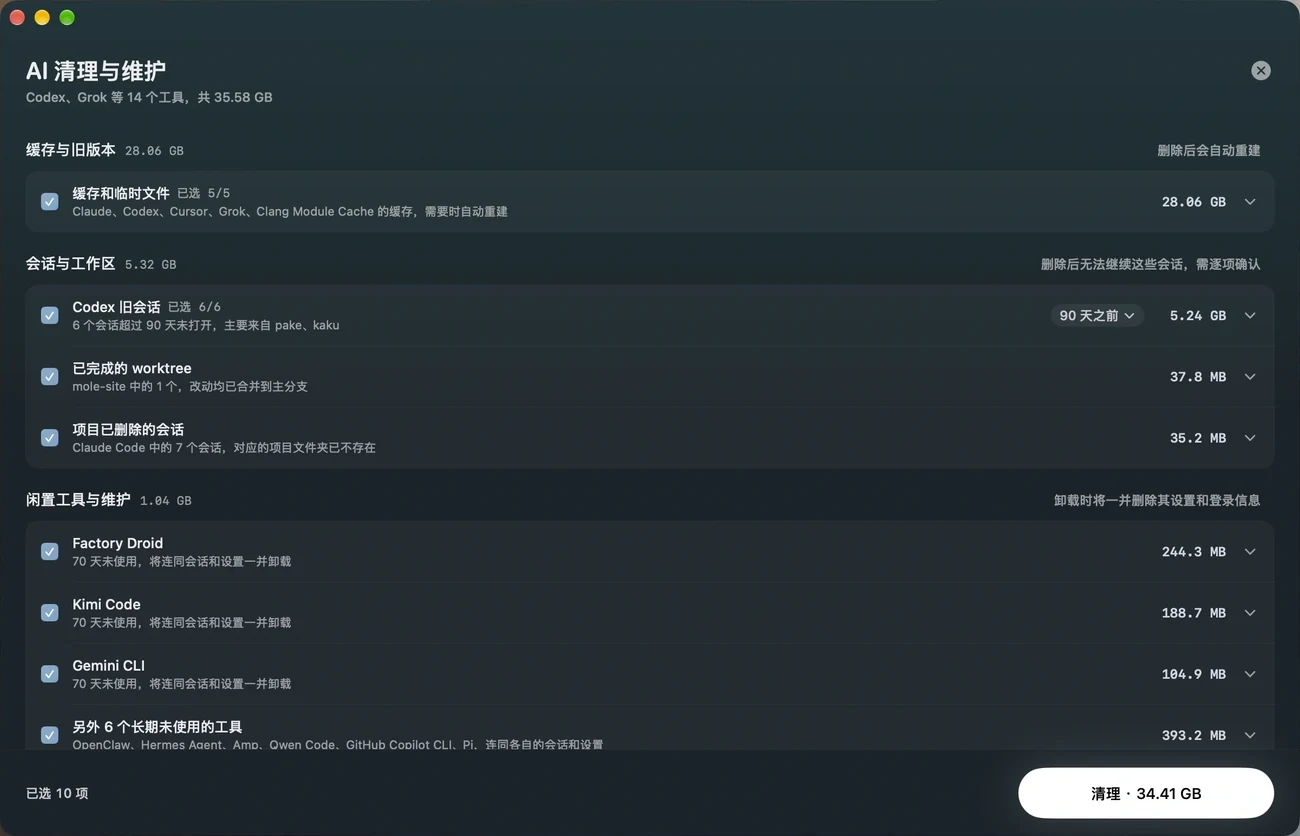
Official interface · AI cleanup & maintenance
03 / 06 · MARS
Software
Red sands cover old tracks; the wind carries us on
S
Sketchbook.app
App itself 412 MB
✓
Preferences~/Library/Preferences
2 MB✓
Caches~/Library/Caches
1.3 GB✓
Application support filesApplication Support
860 MB✓
Shared componentsUncertain · Unchecked by default
45 MBLeftovers total 2.2 GB
Remove together
Software updates · One place to check
Sparkle
↻Checking…
2 updatesApp Store
↻Checking…
1 updateHomebrew
↻Checking…
3 updates04 / 06 · MERCURY
Optimize
Swift near the sun, precise in every detail
🔒
Tasks requiring admin accessAuthorize together, just once
🔑01Rebuild Quick Look thumbnailsWaiting
02Clear font & icon cachesWaiting
03Rebuild Spotlight metadataWaiting
04Restart common system servicesWaiting
05Repair startup item permissionsWaiting
↳ Skipped: not suitable for this system
4 done · 1 skipped · Results and reasons listed
05 / 06 · JUPITER
Analyze
The whole world in view, every detail clear
Macintosh HD›Users›Movies
Movies
196 GB
Developer
88 GB
Photos
61 GB
Documents
34 GB
Other
19 GB
Currently editing
72 GB
Old export copies ×3
48 GB
Source footage
76 GB
Show in Finder
Move to Trash…
Move “Old export copies” to Trash?
48 GB · Confirm before moving
CancelMove to Trash
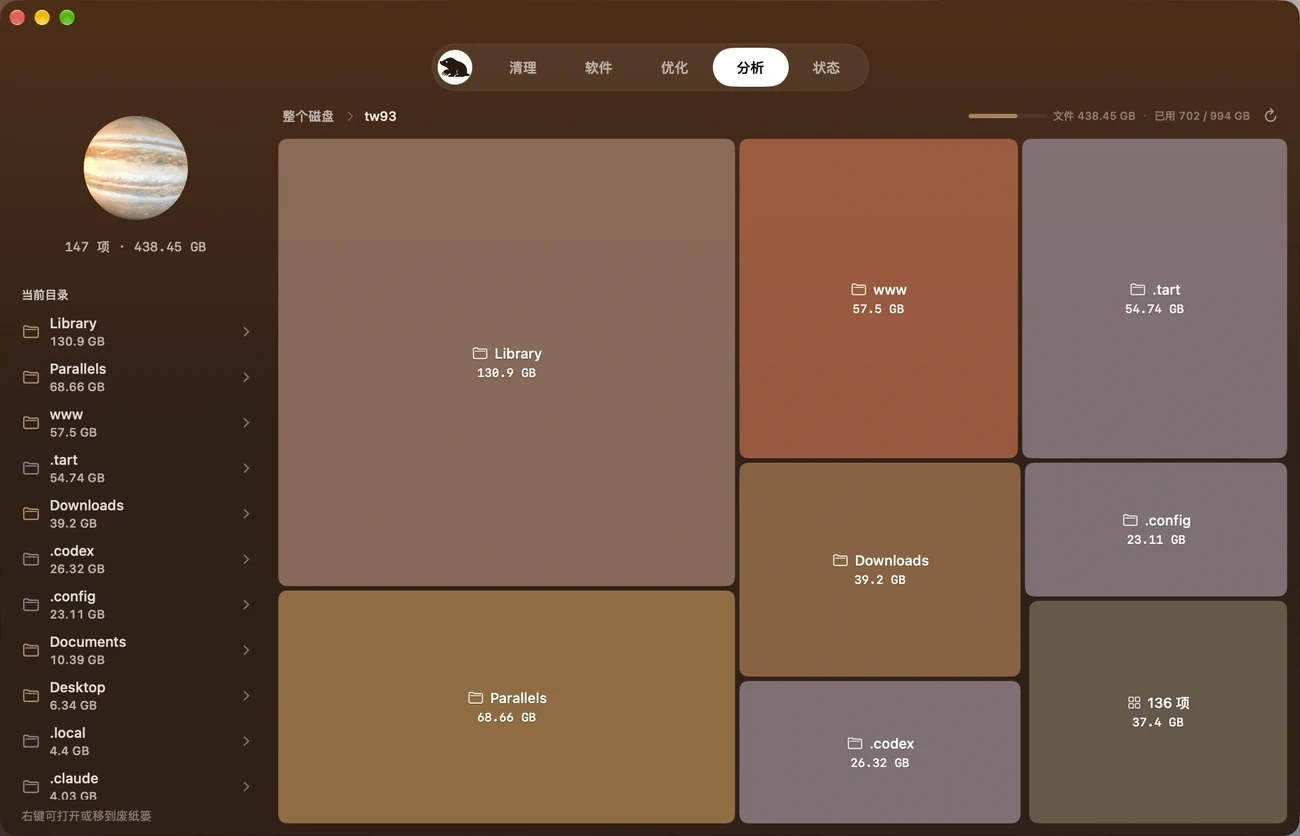
Official interface · Analyze
06 / 06 · SUN
Status
Light through day and night, every pulse in sight
CPU
24%
GPU
11%
Memory
71%
Disk
58%
Network
↓ 2.1 MB/s
Mac
🔋 82%
iPhone
🔋 64%
AirPods
🔋 40%
✢
Fan · Temperature2,140 rpm · 52°C
FileEdit10:24
10:24CPU 24%
Memory 71%
↓ 2.1MB/s
New project · First draft
Give your Mac room to breathe
CleanAISoftwareOptimizeAnalyzeStatus
mole.fit$19 · Pay onceOne license, two MacsFull refund within 14 daysmacOS 14+
CLI stays free and open source

PickShow / IN MOTION
Mole
Give your Mac room to breathe.
A CLOSER LOOK
00:00 / 00:00